
The EBS Suite — Everything After the Sale
EBS Reminders
For shops that live on the repeat visit: the “you're due” reminder goes out on its own, and the finished invoice is paid by text link.
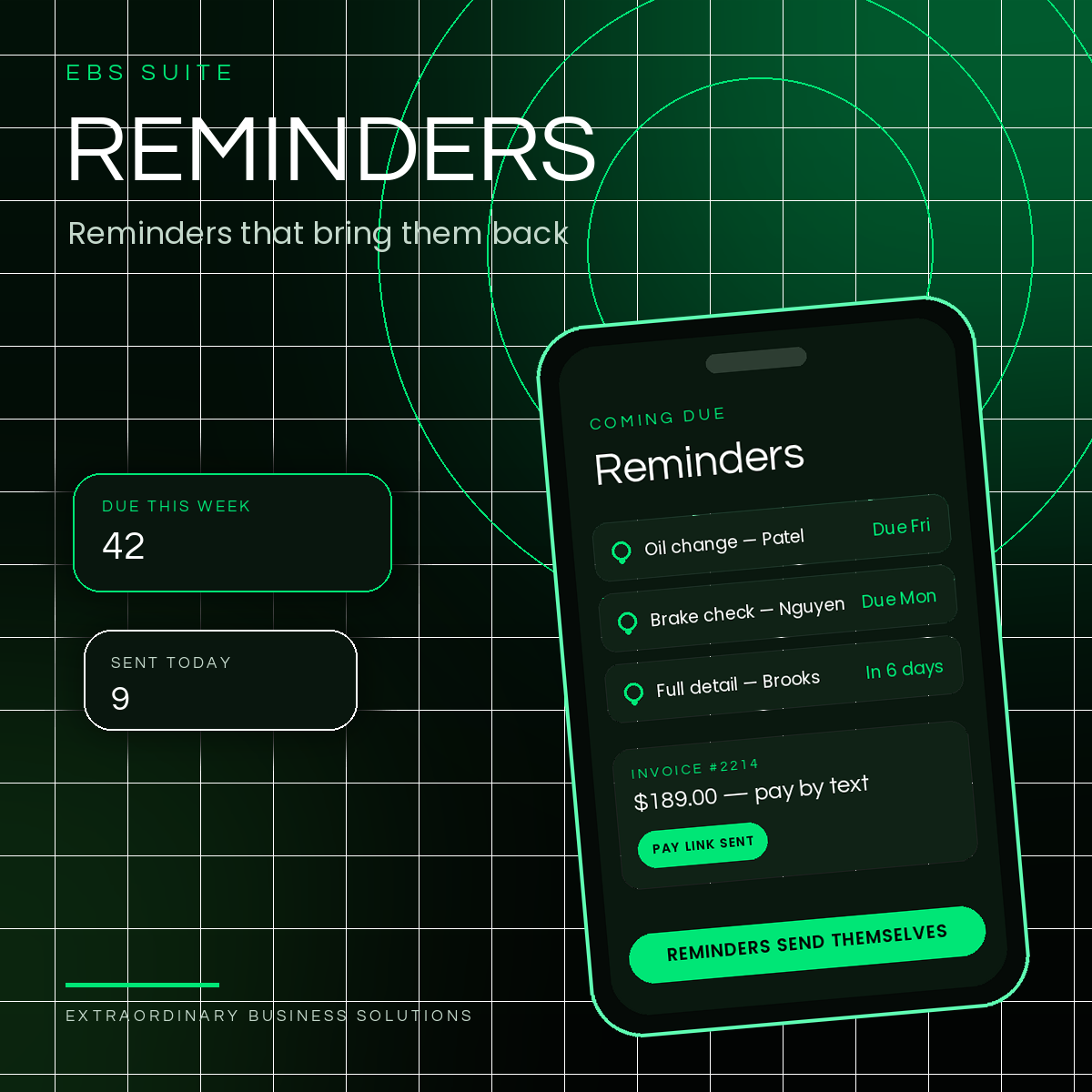
Part of the EBS Suite — fourteen tools for everything after the sale, run from one HQ.
The Problem
Due Customers Don't Announce Themselves.
The repeat visit is the business — the detail every six months, the color every eight weeks, the service every season. But “due” lives in somebody's memory, or in a spreadsheet nobody opens.
So the reminder never goes out, the bay or the chair sits open, and the customer drifts to whoever asked first.
Reminders keeps the service log, sends the “you're due” on its own, and lets the finished invoice be paid by a text link.
How It Works
Logged Once. Reminded on Its Own. Paid by Text.
Step 1
The Visit Goes in the Log
Every visit is logged with its service and its interval — time or mileage — once, at the counter.
Step 2
The Reminder Sends Itself
When a customer comes due, the reminder goes out on its own — to customers who opted in, with a tap-to-book reply.
Step 3
The Invoice Pays by Text
The finished job's balance goes out as a text link on Clover's own invoicing — and the visit stamps the customer's Regulars card.
What It Does
Built for the Repeat Visit.
No shop-management app in the Clover App Market is built for auto — the category runs on generic tools. Salons and home services run on the same repeat-visit cycle, and the same engine serves them.
A Real Service Log
Every visit logged with time and mileage intervals — the record the reminders run on.
Reminders That Send Themselves
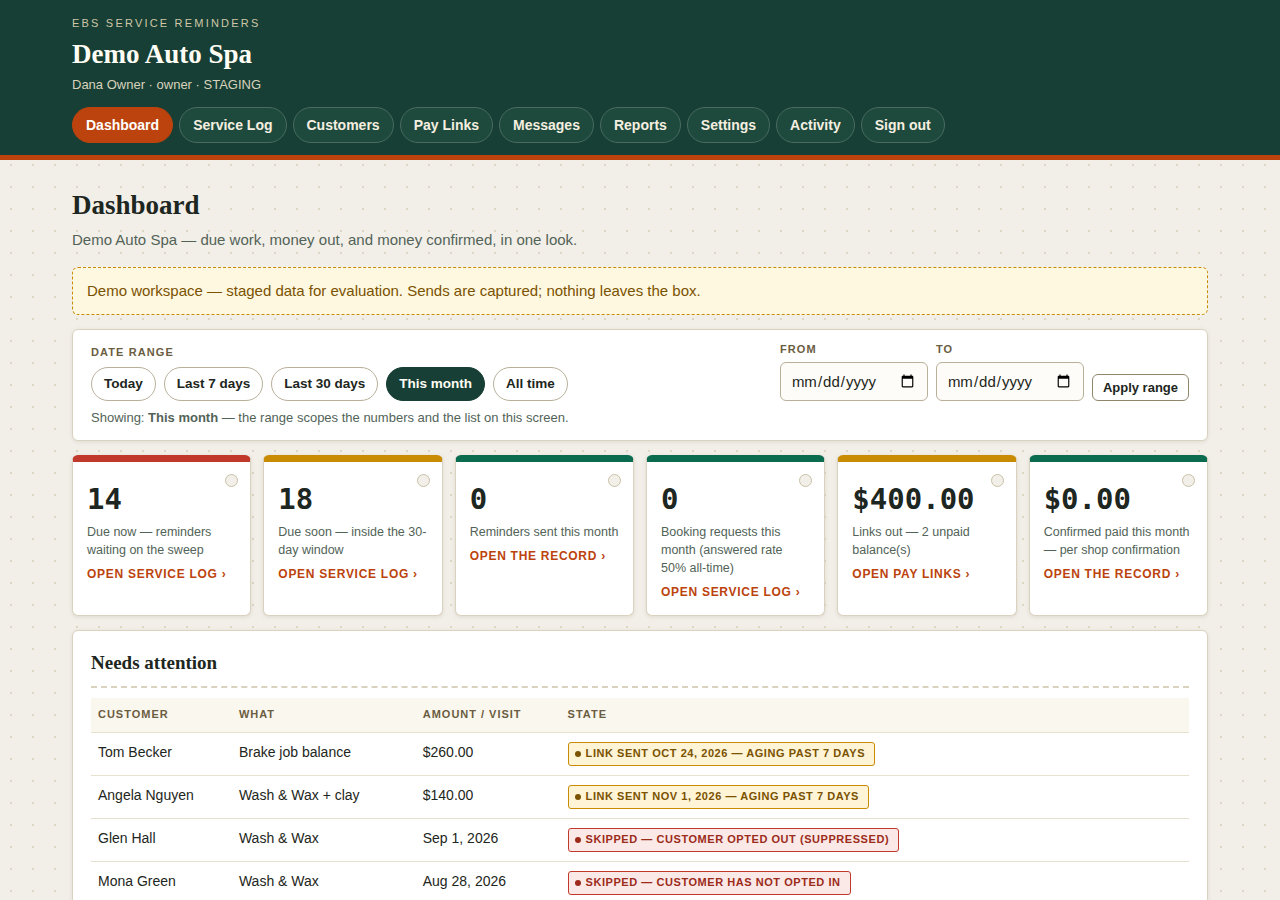
Due-now and due-soon customers surface on the dashboard; the “you're due” goes out on the sweep, with a tap-to-book reply.
Opt-In, Honored
Reminders only go to customers who opted in — the console shows every skip, where consent is missing or withdrawn, and sends nothing.
Pay-by-Text
Balances go out as text links on Clover's own invoicing — confirmed paid, counted per shop confirmation.
Contractor Mode
A deposit link at booking, a progress link at the milestone, and a final link at completion — staged pay links for contracted work.
Visits Stamp Regulars
A reminded visit that lands stamps the customer's EBS Regulars card — the repeat visit compounds.
Who It's For
For Shops That Live on the Repeat Visit.
Auto and detailing, salons and barbershops, home services — if your calendar is built on customers coming due, Reminders runs the cycle. It fits every trade EBS serves:
Pricing
Published Pricing. No Tiers, No Surprises.
EBS Reminders — $29.95/mo per location, standalone.
Included at no extra cost for EBS processing clients.
EBS processing: Interchange + 0.50% + a per-sale fee by average ticket — $0 under $25 · $0.05 at $25–$50 · $0.10 at $50+ · $35/mo flat.
Every suite tool is set up with you, not sold off a shelf — mapped to your counter in a free Business Review.
Questions
Asked at the Counter.
Which shops is this built for?
Shops that live on the repeat visit — auto and detailing, salons and barbershops, home services. The service log runs on time or mileage intervals, whichever your trade counts by.
Do reminders go to everyone?
Only to customers who opted in. The console shows every skip — a customer who never opted in, or who opted out — and sends nothing there. Consent is the gate, every sweep.
How does pay-by-text work?
The finished invoice's balance goes out as a text link on Clover's own invoicing. When the shop confirms payment, the console counts it — confirmed paid, per shop confirmation.
What is contractor mode?
For contracted work: a deposit link at booking, a progress link at the milestone, and a final link at completion — staged pay links matched to the job's stages.
What does it cost?
$29.95/mo per location standalone — and for EBS processing clients the price is waived: Reminders is included at no extra cost with your processing.
Not Sure Where the Gap Is?
Not Sure Follow-Up Is the Gap?
Eight statements, one score, and a straight read on what to fix first — follow-up, reviews, your numbers, or your website.
Free Business Review
Everything After the Sale — Start With the Next Visit.
Tell us how due customers find their way back today — memory, a spreadsheet, or luck — and we will map EBS Reminders, and the rest of the suite, to your counter in a free Business Review.