
The EBS Suite — Everything After the Sale
EBS Time Clock
Staff clock in and out from their own phones — a per-staff link or PIN, no app download, no register — and the week's hours land in Pulse.
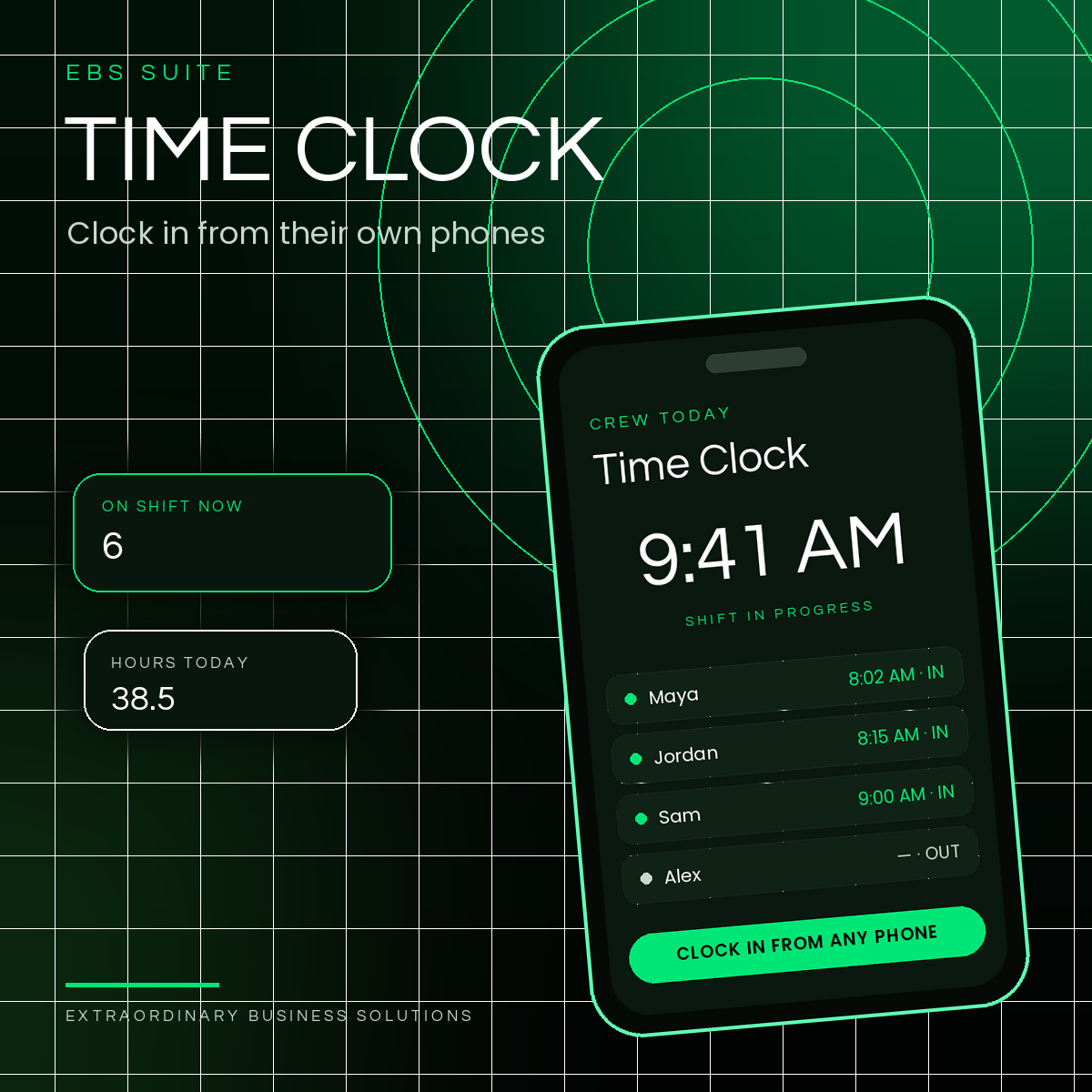
Part of the EBS Suite — fourteen tools for everything after the sale, run from one HQ.
The Problem
The Market's Staff Tools Are Tolerated, Not Liked.
Homebase's time clock rates 3.57 stars and Paychex Flex 3.26 — the market's staff tools carry payroll bloat a small crew never asked for. Market ratings cited from the Clover App Market, checked November 2026.
Meanwhile the hours themselves live on a shared register, a paper sheet, or somebody's memory — and the week gets rebuilt by hand when payroll is due.
Time Clock keeps it to the clock and the schedule: phone clock-ins the owner sees as they happen, the week's hours by person, and a clean export. Never payroll.
How It Works
Clock In by Phone. See the Week. Export the Hours.
Step 1
Clock In From Your Own Phone
Each staff member gets a per-staff link plus a PIN — no app download, no register. The tap is witnessed by the server, so the time on record is the time it happened.
Step 2
The Owner Sees It Live
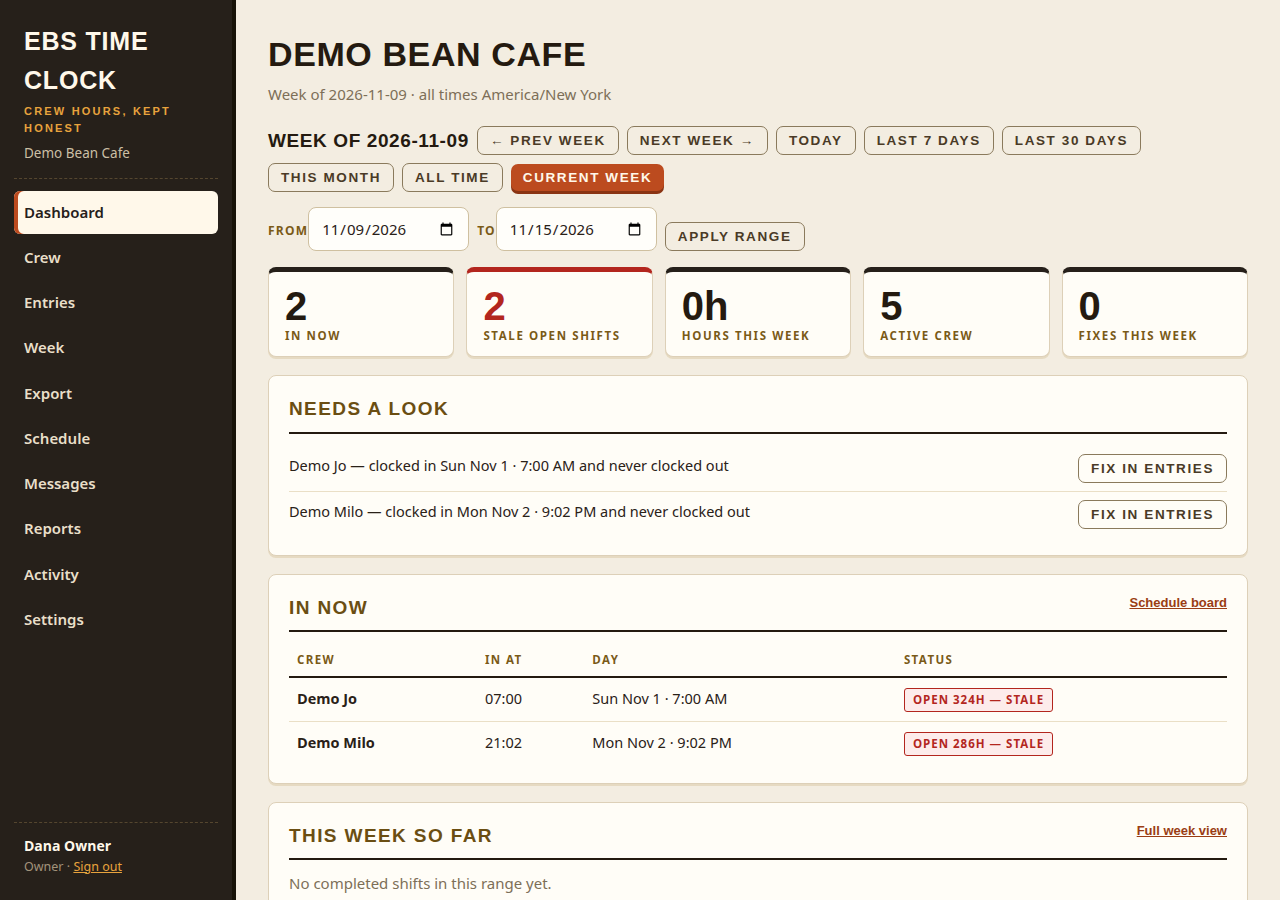
Who's in now, this week's hours by person, and 40-plus hours flagged — a flag only, for the owner's attention. A shift left open too long surfaces as stale, not silent.
Step 3
Export — Payroll Keeps the Money Math
One tap exports the week's CSV in the shape payroll wants: staff, date, clock in, clock out, hours. Hours only, no money columns — and the same numbers land in Pulse.
What It Does
Clock and Schedule Only. Never Payroll.
The bright line never moves: this is hours and an export. No wage calculation, no tax, no filings — Gusto, or your payroll provider, keeps the money math.
Phone Clock-In / Out
A per-staff link plus a PIN, from each person's own phone — no app download, no register required.
Who's In Now
The live board the owner can see as it happens — plus stale open shifts flagged before they poison the week.
Weekly Hours by Person
This week's hours per crew member, computed in the shop's own timezone — with 40-plus hours flagged, never computed into pay.
Corrections, With a Reason
Owner fixes — correct, void, add a missing punch, annotate — always with a reason, against an append-only raw log.
One-Tap CSV Export
Staff, date, clock in, clock out, hours — open shifts pre-flighted, never silently absent. Hours only, ever.
Hours Land in Pulse
A weekly summary to the owner, and the same week's numbers as a section in EBS Pulse.
Who It's For
For Any Crew That Clocks In.
Cafes and counters, shops and salons, crews on a route — if people start and end shifts, Time Clock keeps the hours. It fits every trade EBS serves:
Pricing
Published Pricing. No Tiers, No Surprises.
EBS Time Clock — $19.95/mo per location, standalone.
Included at no extra cost for EBS processing clients.
EBS processing: Interchange + 0.50% + a per-sale fee by average ticket — $0 under $25 · $0.05 at $25–$50 · $0.10 at $50+ · $35/mo flat.
Every suite tool is set up with you, not sold off a shelf — mapped to your counter in a free Business Review.
Questions
Asked at the Counter.
Do staff need to download an app?
No. Each staff member clocks in and out from their own phone with a per-staff link plus a PIN — no app download, no register. PINs are stored as salted hashes and lock after repeated wrong tries.
Is Time Clock a payroll system?
No — and it never becomes one. Clock and schedule only: hours and an export. No wage calculation, no tax, no filings, no garnishments. Your payroll provider — Gusto or whoever you use — keeps the money math.
What happens when someone passes 40 hours?
The week view flags it for your attention — a flag only, never a computation. What the flag means for pay is your payroll provider's call, on the exported hours.
What if a punch is wrong or missing?
The Owner can correct, void, add a missing punch, or annotate — a reason is always required, the change is attributed to the signed-in person, and the raw append-only log keeps the original record for disputes.
What does it cost?
$19.95/mo flat per location standalone, crew unlimited — and for EBS processing clients the price is waived: Time Clock is included at no extra cost with your processing.
Not Sure Where the Gap Is?
Not Sure Hours Are the Gap?
Eight statements, one score, and a straight read on what to fix first — your hours, follow-up, your numbers, or your website.
Free Business Review
Everything After the Sale — Start With the Week's Hours.
Tell us how the crew clocks in today — a register, a sheet, a group text — and we will map EBS Time Clock, and the rest of the suite, to your shop in a free Business Review.